 Structure of a Program for Setting the RecordGrid's Appearance and Functionality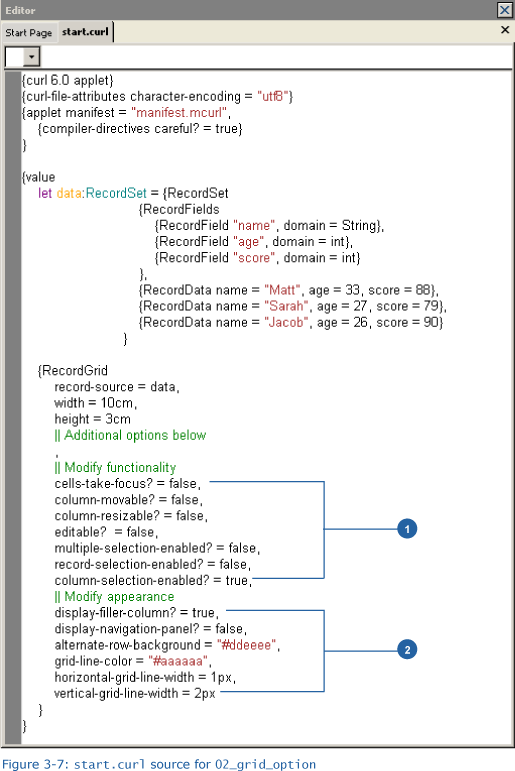
1. Setting function-modifying options such as 'cells-take-focus?'
Code:
cells-take-focus? = false,

column-movable? = false,

column-resizable? = false,

editable?  = false,

multiple-selection-enabled? = false,

record-selection-enabled? = false,

column-selection-enabled? = true,
As we found in Basics 1, RecordGrid has many actions that the user can perform. These can be modified by specifying options. Let’s take a brief look at these options.
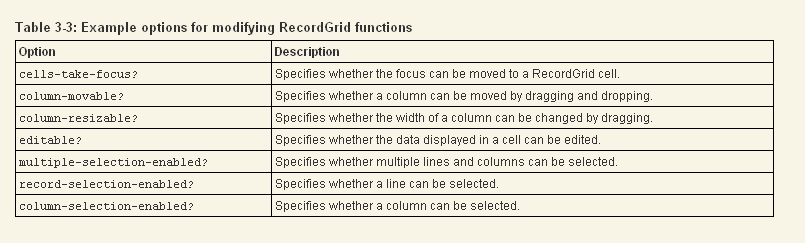
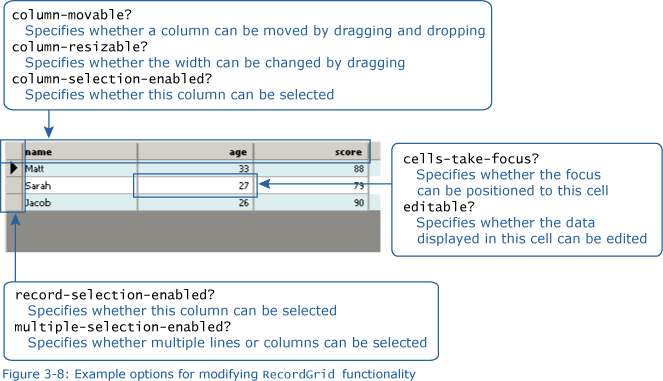
Let’s take a look at what happens when we change the true/false settings.
2. Setting options that affect the appearance
Code:
display-filler-column? = true,

display-navigation-panel? = false,

alternate-row-background = #ddeeee,

grid-line-color = #aaaaaa,

horizontal-grid-line-width = 1px,

vertical-grid-line-width = 2px
In (1), we touched on the function-modifying options. Here, we’ll look at those options that are used to change the appearance.
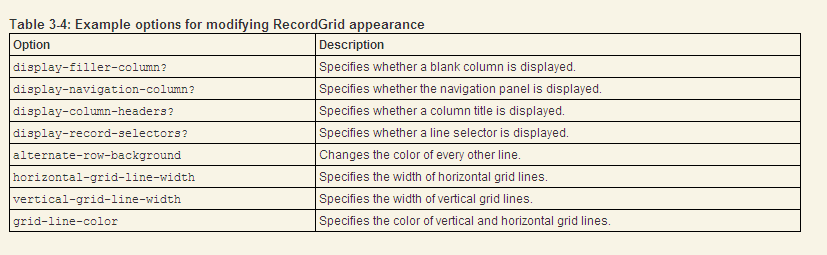
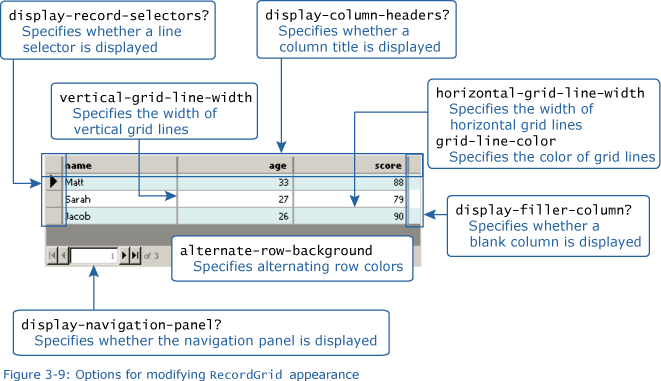
Try changing the values of the above options to see how they affect the appearance.